How I Make Dental Carousels With Claude and GPT That People Actually Save
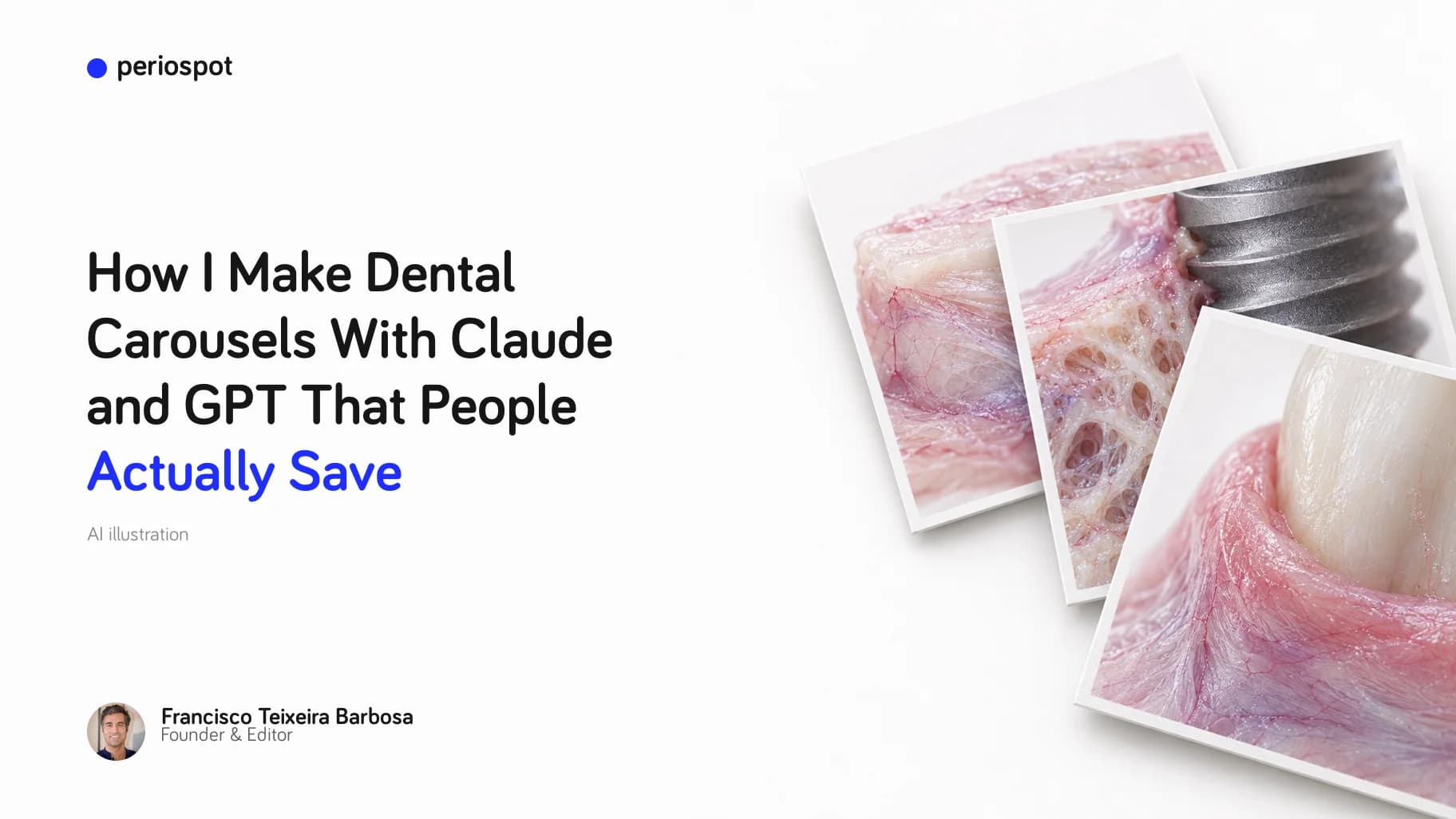
Table of Contents
A carousel used to cost me two days. One in Illustrator, one in Canva.
Not the thinking. The thinking was the fast part. I knew what I wanted to say about connective tissue grafts, or about why a buccal plate collapses after an extraction. The days went into Illustrator and Canva: drawing the implant, the tooth and the cross-section by hand, carrying them into Canva, fitting the text, realigning eight slides because I changed one word on slide two, exporting, spotting a typo, exporting again.
And all that time I was in Illustrator adjusting the last line, to get the BLX implant exactly right or to make the TiUltra surface on the NobelActive clearly visible. My wife kept threatening to divorce me over the hours I spent on the laptop. The Illustrator days are over. She still threatens me with divorce every single day, and every day I tell her I love her too.
I would post it, the next one would be due in a week, and I did not have another two days. So the content plan died, every time.
If you take the Dental Content Machine course you will hear me say one sentence in every module: I don't have time. That sentence is the design constraint for everything below.
This is the story of how a carousel went from two days to something I run in the gap between two meetings, how one of them reached 3,399 likes on a personal account with far fewer followers than @periospot, and how that routine became a tool on Periospot.
What Canva and Illustrator never fixed
The tools were fine. I want to be fair to them. The problem was the assembly line I had to be, and it was never the stock library. Stock libraries have thousands of smiling patients, and a smiling patient was never what I needed.
What I needed was an implant, a tooth, a cross-section, a diagram of the mucosa. None of that exists ready-made, so every one of them I drew by hand in Illustrator. Then I carried the drawings into Canva, built the layout, set the text, and went slide by slide: is this the brand blue or the other blue, is the font the same as slide two, is the size right, does the export match an Instagram carousel or a story.
And all of this while holding my pee, because I didn't want to spend time peeing.
- Illustrator: a full day. Drawing the anatomy for one deck, implant by implant.
- Canva: another day. Placing the drawings on slides, adding the text, reviewing every one, exporting, spotting the drift, exporting again.

Two days for one post. A clinician who does this once a month can absorb the cost. A clinician who wants to publish weekly cannot.
Nano Banana: the first model that could draw a graft
In January 2026 I started using Nano Banana Pro, Google's Gemini 3 Pro Image model, for the large top image on Periospot articles, and soon after for slides.
I still have the video I took of my laptop with my phone the night it happened. An infographic on the esthetic biological contour, zones E, B and C: crown, abutment, implant, bone, each in its place. Not perfect, and the checker flagged missing labels. The first dental infographic from a model I would call decent.
And that's when I came up with a new project, Periospot Studio. At the beginning I was really excited, but it failed, like my marriage.

For the first time an image model gave me a connective tissue graft that looked like tissue and not like a slice of ham. Maybe one attempt in three. But one usable image in three attempts, at thirty seconds each, beats a day in Illustrator.
One rule from those weeks has stayed with me, and the infographic above does not follow it yet: never let the model write the text. Text inside a generated image is where these pictures fall apart. Labels get misspelled, words get invented, letters melt into the tissue. The image is the image. The words go on afterward, added by code, in a font I chose, at a size I can read on a phone.
GPT Image 2: the anatomy finally held
In May 2026 I moved the image generation to OpenAI's GPT Image 2 and have not gone back to Nano Banana for dental work. I tried the previous generation, GPT Image 1, on the same jobs and rejected every output, so I will not pretend the two are close.
The difference for dental work is that the anatomy holds. A cross-section stays a cross-section. An implant keeps a flat platform at the crest and a tapered apex in the bone, which is not a given with image models. And the lighting can be directed: I ask for a dark background, a warm key light from the left and a cool blue rim from the right, and I get it, again and again, so eight slides look like they belong to one deck.
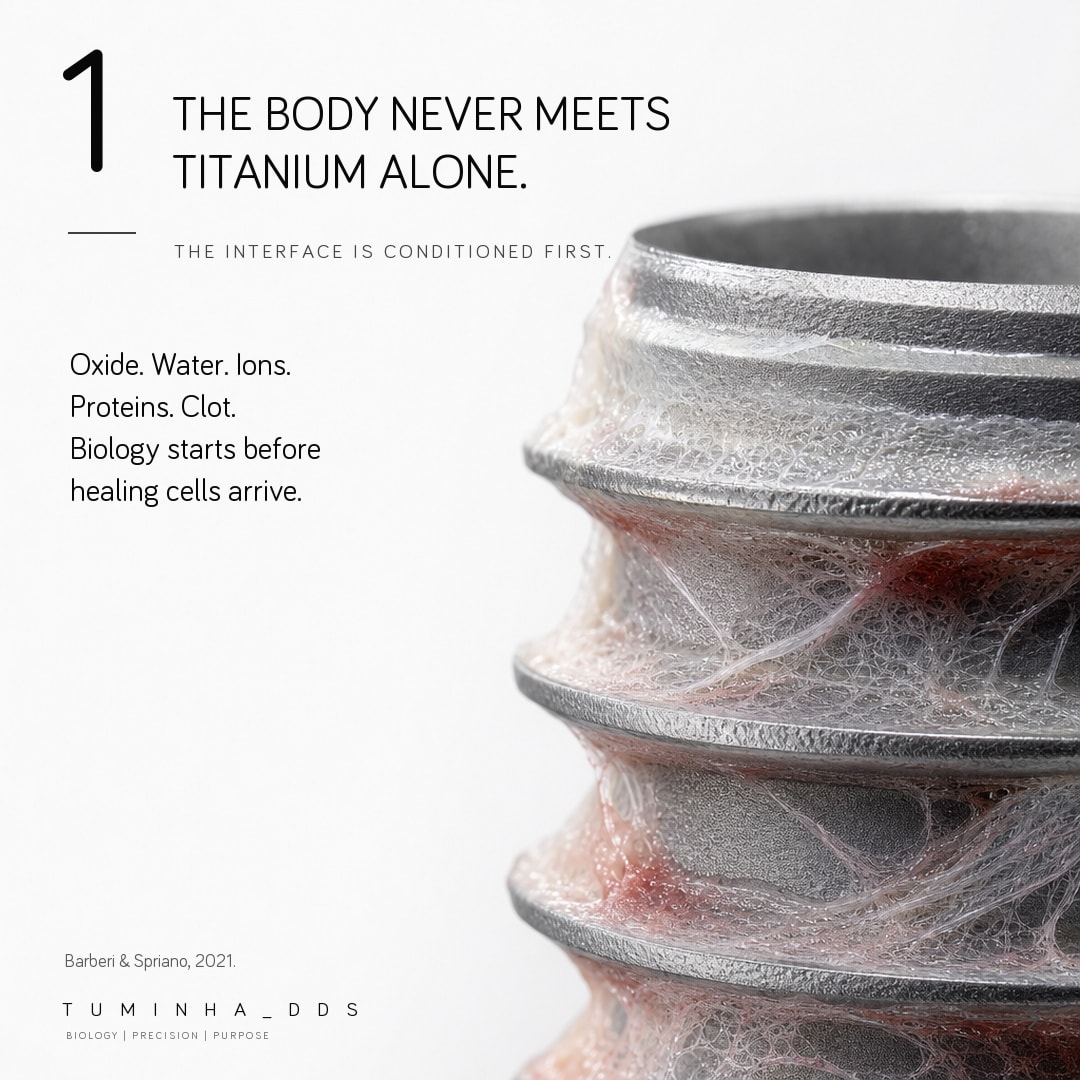
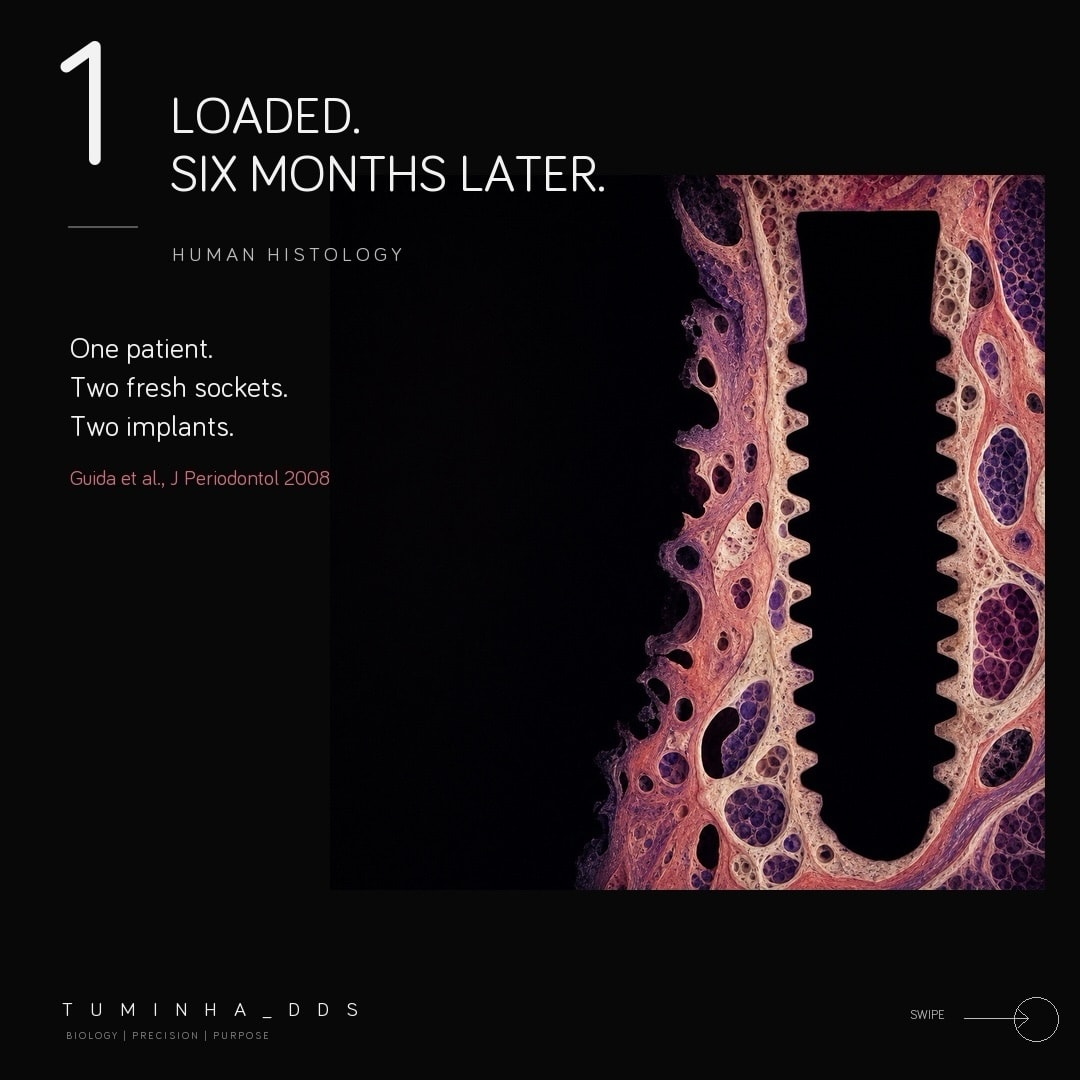
Two habits from that period:
- Generate three, keep one. I never ship the first render. Every implant gets checked for orientation, every graft for plausible vascularity, before it gets a headline.
- Describe the biology, not the picture. "Dense lamina propria over loose submucosa, hydrated, on a steel tray under studio light" produces a better graft than "nice CTG photo". It is the same thing I tell residents about case presentations: say what tissue it is, not that it looks nice.
A coding agent instead of a mouse
A better image model gave me usable pictures but not my days back. Those came from putting a coding agent next to it.
I run Claude Code and Codex on my laptop. They are programs that read files, write scripts, call the image model, and place text on images with code instead of with a mouse. A carousel became a conversation:
"Eight slides on donor-site biology for connective tissue grafts. White background, one graft per slide, my @tuminha_dds mark bottom left. Cover first. Show me the cover on a phone before you render the rest."
The agent drafts the slide plan. I correct the clinical claims. It generates the images, sets the typography, produces eight square images (PNG files, 1080 by 1080) and a phone-sized preview sheet so I can see whether slide five is legible at thumb size. When a graft looks wrong I say "slide five, the tissue looks like plastic, redo it with visible vascularity", and only slide five changes. Nothing drifts.
I want to be honest about one thing. That paragraph describes today. Getting there took hundreds of iterations before the result was what I wanted. The difference from the Canva years is that each iteration cost me a sentence, not a day.
I wrote about the same setup for video in How I Built a Dental Education Video With Claude Code, Codex, Remotion and HyperFrames. Carousels are the simpler case, which is why they were the first thing that actually stuck.
The CTG carousel: 3,399 likes
On 25 May 2026 I posted an eight-slide carousel on @tuminha_dds about donor-site biology for connective tissue grafts. The deck's argument, slide by slide: not all CTGs are the same; the palate is not one donor site; lateral palate versus tuberosity; denser does not mean always better; the recipient site decides.

As I write this it has 3,399 likes, 2,879 saves, 1,102 shares and 43 comments, and it reached 53,432 accounts. For a personal account (@tuminha_dds), made with the agent, that is more than any carousel I ever built by hand.
For scale, what a normal carousel of mine gets, the kind that might as well be about how I cook chicken masala, against this one:
Counts read from the Instagram API on 11 September 2026. On browsers that support scroll-driven animation the bars grow as you scroll; the numbers are the numbers either way.
One thing made it work that has nothing to do with AI. Slide six says "denser does not mean always better". Colleagues share content that respects their judgment far more than content that sells a technique. The rest is craft: biology that looks like biology with no text baked into the image, and a cover I checked on a phone before touching slides two to eight.

If the clinical side of that deck interests you more than the workflow, the long version is in The Connective Tissue Graft: Harvesting Techniques, Indications, and CTG vs FGG.
Turning the routine into a skill
By the third carousel I noticed I was typing the same instructions every time. Short ones, the kind you type and forget: "make sure every paper cited is real and says what the slide says it says." The third time I typed that sentence I understood the agent should not need to be told.
Claude Code and Codex let you save a set of instructions as a "skill": a protocol the agent follows every time, so the task repeats without drifting away from what you wanted. Mine is a folder with one instructions file at the top, SKILL.md, plus the scripts and notes it calls. The instructions file holds the distilled version of those hundreds of iterations: the brand rules, the checks, the order things happen in, the mistakes it must never make again. It lives on my laptop. (That file is the one thing here I do not share. You would have to kill me first.)
With the skill in place a carousel is: type the topic, review the plan, approve the cover, review the deck. Ten to twenty minutes of my attention, most of it on the clinical claims. How to build a skill like that for your own voice and your own brand is one module of The Dental Content Machine.

Carousel Studio: the same pipeline on Periospot
Then the messages started. My Instagram inbox filled with colleagues asking how I make these carousels. I could not answer one by one. The honest answer is a class, not a message, and it became a module of The Dental Content Machine. But the carousels themselves I did want to open up to anyone, without asking a dentist to install a coding agent and keep API keys.
The way I found was to build the same pipeline into Periospot. In July 2026 it became Carousel Studio. It opened to every signed-in Periospot account on 22 July 2026, it still wears a beta badge, and it lives at periospot.com/labs/carousel-studio.
In one line each: it runs an accuracy pass on the claims and on the finished cards; it redoes any single image once for free if you do not like it; it exports to PowerPoint when you want to customize further; and it prints your logo on every card. Two things are different from my personal skill, and they are the point:
- It retrieves the literature itself. Every brief searches PubMed and OpenAlex, needs at least three sources or refuses to generate (and charges nothing), and every numeric or guideline claim on a card, which is what the studio calls a slide once it is rendered, has to cite one of them. The claim map, with a link to each source, comes with the deck.
- It renders your branding, not mine. Your Instagram handle, your logo, your text color. The handle on the cards is yours, not Periospot's.

Step by step in Carousel Studio
- Sign in and open Labs, then Carousel Studio. A free Periospot account is enough to get in.
- Type the topic. Between 8 and 300 characters. "Why the socket shield technique preserves the buccal plate" is the example the form gives you. Optionally add your angle and your own slide ideas, one per line. Choose 6, 8, 10 or 15 slides, the language of the deck (English, Spanish or Portuguese), and the closing call to action (Follow, Save, or Link in bio). Add your handle, upload your logo, set your text color. Pick an image tone (Dramatic, Realistic, Vivid, Clinical or Histological) and one of seven style packs. Press Generate brief.

- Wait for the brief. The screen says it usually takes under a minute. The pipeline retrieves sources and writes the arc: Hook, Reframe, Mechanism, Clinical rule, Honest truth, Call to action. Each slide gets a kicker (the small label above the headline), a headline, up to four support lines and, where a number or a guideline is involved, a citation line such as "Meijer et al., Journal of Periodontology, 2025". A number it cannot source is softened and flagged "Claim softened, check before posting".

- Edit anything you disagree with. The kicker, headline and support lines of every slide are editable; the citation line stays as the pipeline wrote it. Save edits re-runs the claim check, and you cannot smuggle in a new number without a source. Copy the caption and hashtags while you are there.
- Render (produce the finished cards). Rendering costs 8 credits per slide; the button shows the 48 to 120 range, and a badge at the top of the brief says whether this deck is included in your plan or paid in credits. The screen says rendering takes about three minutes. Images come from OpenAI's GPT Image 2.5 (the studio moved from GPT Image 2 to the faster 2.5 Sunburst model on 9 September) and are composed into 1080 by 1350 cards.
- Read the notes on each card. They are suggestions: you decide, and your downloads stay open either way. Redo any card you dislike. Edit copy lets you reword a finished card for free as long as the clinical meaning, the numbers and the citation stay the same.
- Download. Send every card, in order, to your phone's share sheet and pick Instagram, download a ZIP with the PNGs and the caption, download an editable PowerPoint with the text as real text boxes over the artwork, or have the card links and the caption emailed to you (the links stay valid for 72 hours).


What Carousel Studio costs
- A brief is 15 credits and each slide is 8. An eight-slide deck is 79 credits; a six-slide deck is 63.
- The first redo of any card is free, any redo of a card the check flagged is free, and later redos cost 8 credits. Copy edits are free.
- Credit packs: 400 credits for 25 EUR (about 5 carousels) or 950 credits for 50 EUR (about 12). The credits are shared with Video Studio, and your first pack adds 500 bonus credits.
- Periospot Labs members have carousels included every month: 5, 10 or 20 on the monthly Starter, Pro and Ultimate plans, and double that, 10, 20 or 40, on the annual plans.
- A brief that fails, because fewer than three sources exist or the topic is outside dental education, is not charged.
What Carousel Studio will not do
- It does not draw mouths. No clinical photographs of teeth or gums, no blood, no instruments in tissue. The cards are illustrations. If your post needs your own case photo, take the PowerPoint and swap it in.
- It does not post for you. You download, you review, you post. The studio says it in its own words: review every slide and citation before you post.
- It writes in three languages, on English screens. The cards and caption can be in English, Spanish or Portuguese. The screens themselves are in English, and the literature search runs on English clinical terms whatever language you type the topic in.
- It does not replace your judgment. The claim map tells you where each number came from. Reading it is your job, the same way reading the paper behind a slide in a congress talk is your job.
- It will not make your wife or girlfriend happy either.
If a carousel is all you need this week, go straight to Carousel Studio.
Where carousels fit in the Dental Content Machine
Carousels are one lane. The presentations, the reels, the newsletter and the weekly rhythm that turns one topic into several posts are the rest of the system, and that system is what I teach in The Dental Content Machine.
Cohort 1 closed on 8 September while I record the remaining modules with the first group inside the course. Cohort 2 opens at the end of September with every module recorded, and the waitlist gets the door 48 hours before anyone else. If you want in, leave your email on the waitlist and you will hear from me first.
I don't have time. Neither do you. That is why the carousel now takes minutes.
You will spend more time swiping left and right on Tinder than creating a carousel in Carousel Studio.
Check Your Knowledge
Comments
0 totalLoading comments...
Previous
Gum Disease and High Blood Pressure: What the Evidence Actually Shows
Next
6 Online Marketing Tools a Real Dental Clinic Can Use in 2026
Related Articles
Dental Video Marketing in 2026: How to Make Pro Videos Without a Video Editor
8 min read
How I Built a Dental Education Video With Claude Code, Codex, Remotion and HyperFrames
11 min read