3D dental anatomy atlas · Text and sources clinically reviewed, September 2026

Anatomy you can take apart: the head, neck and mouth in 3D.

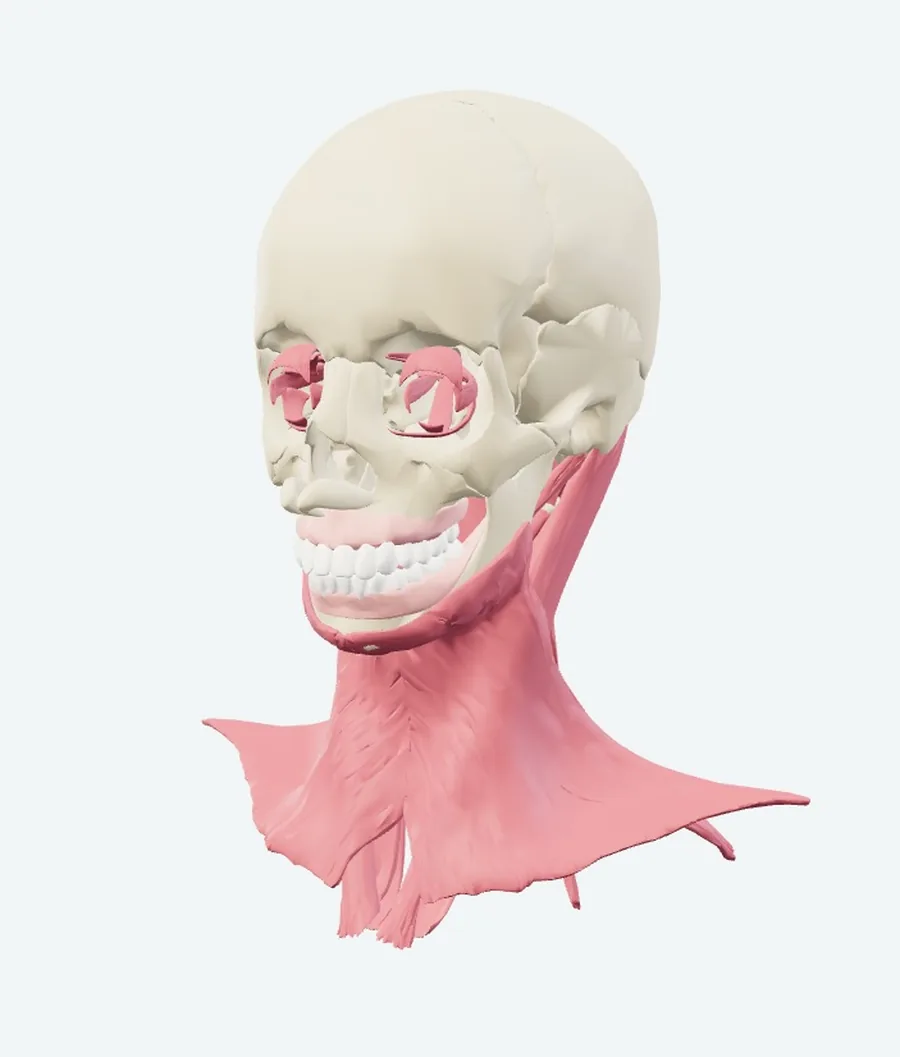
A 3D model of the head, neck and mouth with 555 structures you can select one at a time. Switch systems on and off, pull every piece out into rows, and click any piece to read its name and where it came from.

Runs in the browser on a laptop or a phone. No sign-in needed today.

Recorded in the atlas itself. Nothing here is a mock-up.
555
selectable structures in the head and neck model
75
in the dental muscles and TMJ model
8
systems you can show or hide
7
named views, plus free rotation and zoom

The slider the atlas is named after

Drag it, and the head comes apart.

At 0% the model is assembled. At 100% every visible structure is laid out in rows, each one keeping its own shape and its size relative to the others. Drag the slider here to watch it happen, then do it on the real model with whichever systems you switched on.

The row positions are for browsing. They are not anatomical positions.

0%
AssembledEvery piece

What it does

Four things worth trying first

Switch a system on, and the count moves with it

Eight systems, each with its own switch and its own number: skeleton 44, teeth and gingiva 30, muscles 96, nerves 40, arteries 155, veins 2, connective tissue 25, other structures 163. Three presets set them in one click: All, Bones & teeth, Soft tissue.

Point at a structure to name it, click it to open it

Hovering prints the name over the model. Clicking opens a panel with the system, the source model and licence, the source ID and the triangle count of that mesh. Transparent surroundings fades everything else so the selected structure stays where it belongs.

Type a name, get the structure

Press / and start typing. Search reaches structures whose layer is switched off, so a hidden muscle is still one keystroke away. Select a result and choose Isolate structure to see it alone, or copy a link that reopens the atlas with that structure already selected.

A second model for the chewing muscles and the jaw joint

Head & neck does not contain the muscles of mastication. Switch to Dental muscles & TMJ for the temporalis, both parts of the masseter, the medial pterygoid, both heads of the lateral pterygoid, the buccinator, the orbicularis oris, and the articular disc and capsule of the jaw joint: 75 structures in their own coordinates.

Inside the models

What is actually in there

The head and neck model is a regional selection from BodyParts3D, not every structure of the human head. These are the counts the viewer itself reports, system by system.

Other structures163

brain, eyeball, tongue, larynx, submandibular and sublingual glands

Arteries155

internal carotid, ophthalmic and the cerebral arteries

Muscles96

mylohyoid, digastric, genioglossus, sternocleidomastoid, platysma

Skeleton44

mandible, maxilla, palatine, sphenoid, hyoid, cervical vertebrae

Nerves40

optic, oculomotor, trochlear and the ophthalmic division branches

Teeth & gingiva30

28 permanent teeth, upper and lower gingiva

Connective tissue25

pterygomandibular raphe, stylohyoid ligament, vocal ligament

Veins2

two segments of the internal jugular vein

Dental muscles & TMJ, the second model

75 structures from the Z-Anatomy dental region, shown in their own coordinates. They have not been merged into the head and neck model.

Teeth28
Skeleton23
Muscles16
Connective tissue8

Cranial nerves: what is there and what is not

Two of the twelve are in the model, two are partly there, and eight are missing. The atlas says so on every screen, and so does this page.

  • I. OlfactoryNot in the model
  • II. OpticIn the model
  • III. OculomotorPartly in the model
  • IV. TrochlearIn the model
  • V. TrigeminalPartly in the model
  • VI. AbducensNot in the model
  • VII. FacialNot in the model
  • VIII. VestibulocochlearNot in the model
  • IX. GlossopharyngealNot in the model
  • X. VagusNot in the model
  • XI. AccessoryNot in the model
  • XII. HypoglossalNot in the model

Who opens it

What you can use it for

Every link below opens the atlas with that structure already selected.

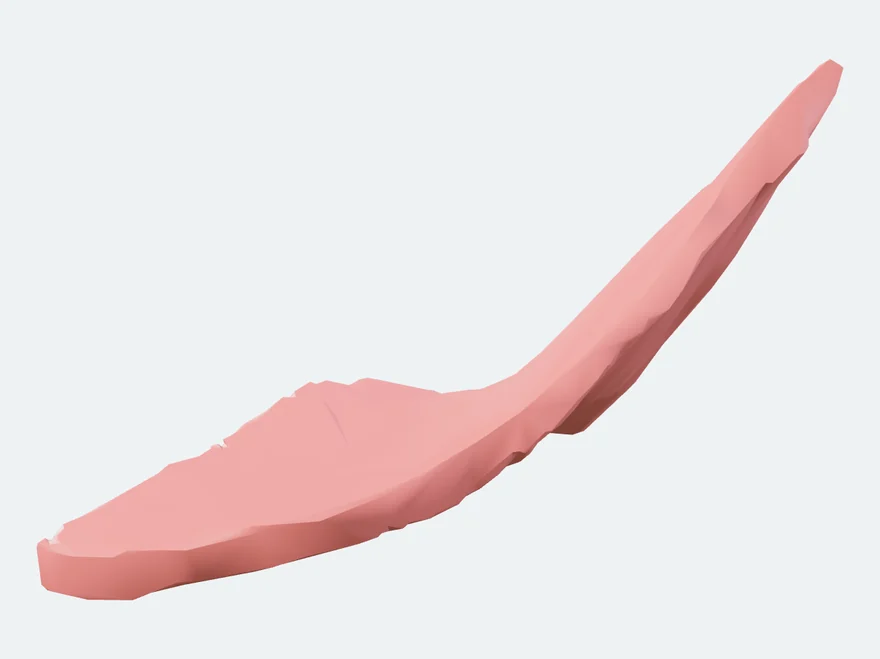
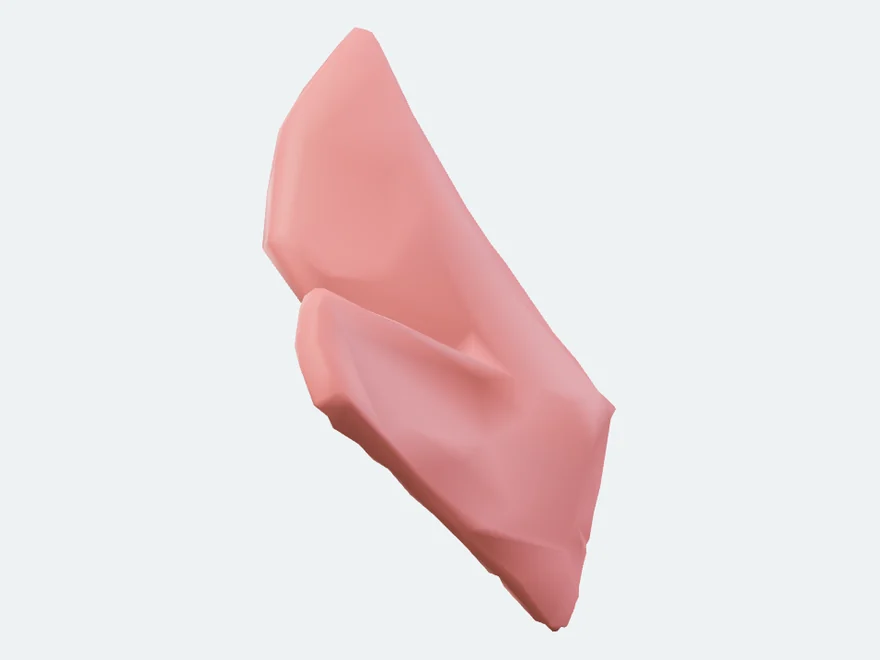
  • Left Medial pterygoid muscle, isolated in the atlas

    Revising the muscles of mastication

    Search pterygoid in Dental muscles & TMJ: six results, the medial pterygoid plus both heads of the lateral pterygoid on each side. Isolate one, then fade the surroundings to see it against the mandible and the sphenoid.

    Open the medial pterygoid
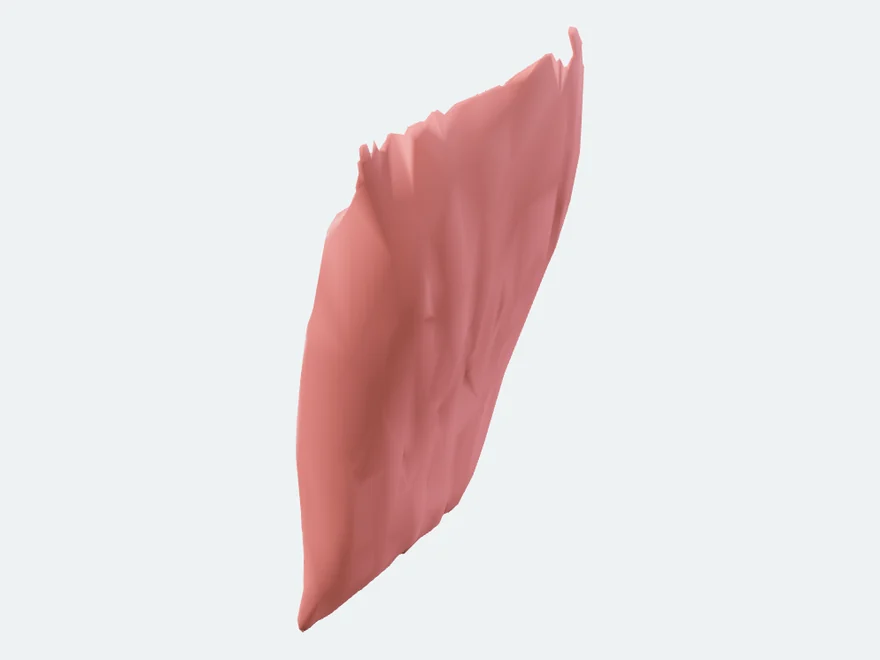
  • Left mylohyoid, isolated in the atlas

    The floor of the mouth

    In Head & neck, switch Muscles on and select the mylohyoid, then look from the Inferior view with the submandibular and sublingual glands showing. The lingual and inferior alveolar nerves are not in the model.

    Open the mylohyoid
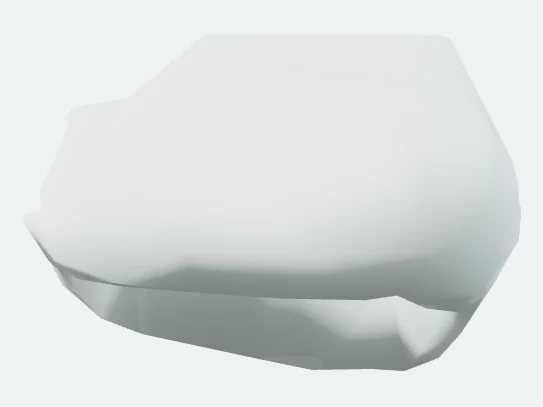
  • Left Superficial part of masseter, isolated in the atlas

    Explaining clenching to a patient

    Open the superficial part of the masseter, fade the surroundings and turn the screen around. It is a model for explaining, not a scan of the person in the chair.

    Open the masseter
  • Left Articular disc of temporomandibular joint, isolated in the atlas

    Teaching the jaw joint

    The articular disc and the capsule are separate, selectable structures. Copy the structure link into your slide notes and students open the atlas with the disc already selected.

    Open the TMJ disc
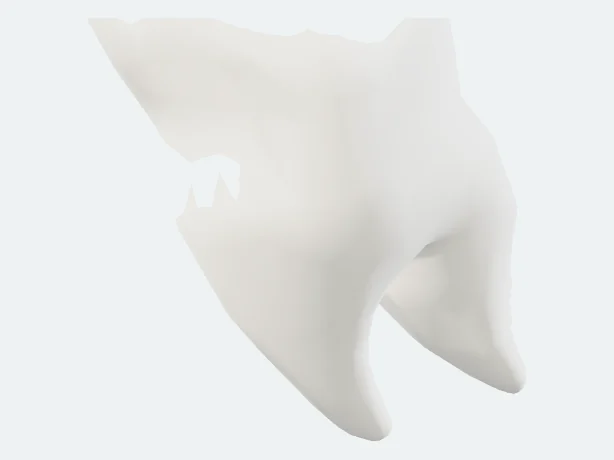
  • Left lower first secondary molar tooth, isolated in the atlas

    Tooth names with a new team member

    Choose the Bones & teeth preset and click each tooth to read its full name. The model carries 28 permanent teeth; third molars are not among them.

    Open a lower first molar
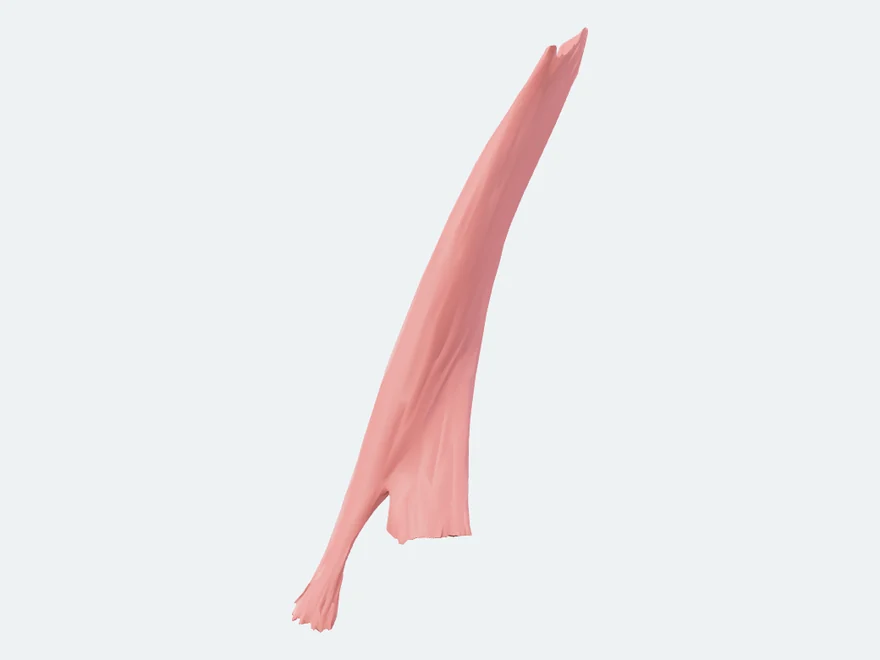
  • Left sternocleidomastoid, isolated in the atlas

    Someone who is simply curious

    Select the sternocleidomastoid to see the strap that turns the head. Then choose Hide all, switch Muscles back on, and drag the slider to Every piece to see all 96 muscles laid out in rows.

    Open the sternocleidomastoid

Inside the jaws

Bone Quality Atlas

A second 3D tool, for the mandible and the maxilla. Select one of eight regions, see the CT density band proposed for it in 2001, then open a drawn cross section of cortical shell, trabecular framework and marrow.

  • Jaw mapRotate both jaws with 28 reference teeth. Eight regions carry the historical CT density bands attributed to Norton and Gamble (2001), as reported by Reeves, Mah and McDavid (2012).
  • Inside boneOpen the cross section for a region and tap the cut surface to name what you are looking at. Marrow, illustrative vessels and bone-forming surfaces switch on and off.
  • CompareTwo regions side by side at one display scale, for example the posterior maxilla next to the anterior mandible.

The sections are drawn teaching models, not micro-CT, histology or a patient scan. The density bands are historical ranges for a region, not a measurement of this model.

Sources and limits

What it is built from, and what is not in it yet

Built from

  • Head & neck: BodyParts3D from the Database Center for Life Science, an adult male reference model, CC BY 4.0. 555 meshes selected from it, with the original names and source IDs kept as published.
  • Dental muscles & TMJ: the Z-Anatomy dental region, CC BY-SA 4.0, 75 meshes in their own coordinates.
  • Bone Quality Atlas: jaw surfaces from the same open models, with cross sections drawn by Periospot and twelve published sources behind the regional notes.

Not in it yet

  • Nerves: the maxillary and mandibular divisions of the trigeminal nerve, the inferior alveolar and lingual nerves, and cranial nerves I and VI to XII.
  • Teeth: third molars, and enamel, dentine, cementum, pulp and periodontal ligament as separate parts.
  • Head & neck: parotid gland, maxillary sinus and hard palate as separate structures. Veins are two segments of the internal jugular vein.
  • Dental muscles & TMJ: two lateral TMJ ligaments whose side has not been confirmed. The viewer labels them side unverified.

The text and the sources were clinically reviewed in September 2026; the model geometry has not been independently verified. Use it to learn and to explain, not to diagnose or to plan treatment. If a structure is missing from the atlas, that says nothing about a patient.

Questions

Questions people ask before opening it

Is the Periospot Anatomy Atlas free?
Yes. It runs in the browser on a laptop or a phone, with no sign-in and nothing to install. The head and neck model is about 9.4 MB, downloaded once and then cached by the browser.
What does the 3D atlas contain?
Two models. Head & neck holds 555 selectable structures from BodyParts3D: 44 skeleton, 30 teeth and gingiva, 96 muscles, 40 nerves, 155 arteries, 2 veins, 25 connective tissue and 163 other structures such as the tongue, larynx and salivary glands. Dental muscles & TMJ holds 75 structures from Z-Anatomy, including the temporalis, both parts of the masseter, the medial and lateral pterygoid, the buccinator, the orbicularis oris and the articular disc and capsule of the temporomandibular joint.
Which structures are not in the atlas?
Cranial nerves I and VI to XII, the maxillary and mandibular divisions of the trigeminal nerve, the inferior alveolar and lingual nerves, third molars, and enamel, dentine, cementum, pulp and periodontal ligament as separate parts. The parotid gland, maxillary sinus and hard palate are not separate structures either. This page lists them all; the viewer names the ones it can, on the structure it is showing.
Can I use the atlas for teaching or in a lecture?
Yes, with credit to the sources. The head and neck model is BodyParts3D from the Database Center for Life Science under CC BY 4.0, and the dental muscle model is Z-Anatomy under CC BY-SA 4.0. Every structure carries its source ID, and Copy structure link produces a link that reopens the atlas on that structure.
Has the atlas been clinically reviewed?
The text and the sources were clinically reviewed in September 2026. The 3D model geometry, which comes from published open anatomy models, has not been independently verified. Use the atlas for learning and explaining, not for diagnosis or treatment planning; a structure missing from the atlas says nothing about a patient.
Credits

Where the models come from

BodyParts3D, © The Database Center for Life Science licensed under CC Attribution 4.0 International. Geometry selected and repacked from the Human Atlas project's optimised files. Dataset and licence · Attribution record

Z-Anatomy, the libre 3D atlas of anatomy, based on BodyParts3D, The Database Center for Life Science. Models shared by Gauthier Kervyn and the Z-Anatomy project; FBX distribution by Lluis Vinent Juanico. Adapted regional selection and binary packing under CC BY-SA 4.0. Adaptation record and licence

The sources behind the Bone Quality Atlas are listed on its own page and inside the viewer. Built by Periospot. Content lead: Francisco Teixeira Barbosa, DDS MSc.