Dental Video Marketing in 2026: How to Make Pro Videos Without a Video Editor

Table of Contents
Related clinical guides
digital-dentistry
How I Built a Dental Education Video With Claude Code, Codex, Remotion and HyperFrames
digital-dentistry
How I Grew 13,000 New Instagram Followers in Under 2 Weeks Using AI Videos (And the Exact Prompts I Used)
digital-dentistry
I Gave My AI a Dental Specialization: 3 Free Skills Every Dentist Needs
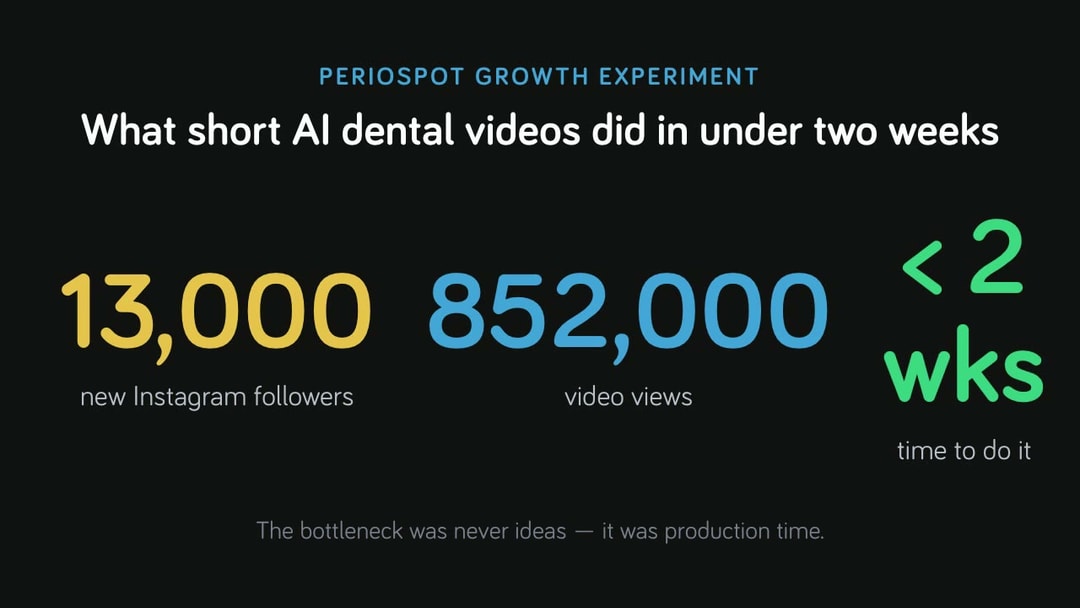
Short answer: dental video marketing is the most reliable way to grow a practice and a professional brand in 2026 — and you no longer need a video editor or a free week to do it. One focused run of short AI videos grew our own account by 13,000 followers and 852,000 views in under two weeks. With AI, a dentist can now turn one clear clinical idea into a polished vertical video in minutes — either no-code with a tool like PerioSpot Video Studio, or with a fully agentic workflow.
I am a periodontist, not a marketing agency. So this is written the way I would explain it to a colleague over coffee: what works, what is hype, and what I would do on a normal Tuesday between patients.
Why dental video marketing works (and why most dentists skip it)
Patients do not read your bone-grafting protocol. They watch. Short video is how people now decide who to trust with their mouth — it shows your face, your clinic, and how you explain things before they ever book.
That is exactly where most dentists quit. Not for lack of ideas, but because editing a single 60-second video in Final Cut, Premiere or CapCut can eat an entire evening. Multiply that by "post consistently" and the plan dies.
AI for dentists: the two ways to make videos now
AI removed the production bottleneck. There are two honest paths, depending on how technical you want to be.
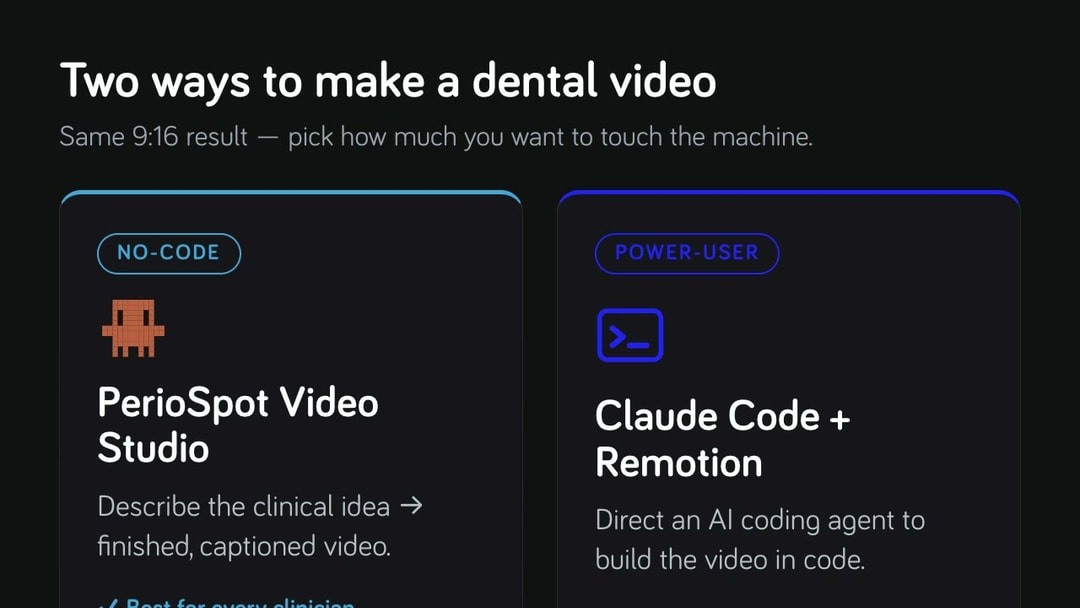
| Video Studio (no-code) | Claude Code + Remotion (power-user) | |
|---|---|---|
| Best for | Any clinician | Builders & tinkerers |
| You provide | A clinical brief | A brief, assets & setup |
| How | Describe → review storyboard → render | Direct an AI agent in code |
| Setup | Minutes | Hours |
| Output | 9:16 captioned video | 9:16 captioned video |
Option 1: PerioSpot Video Studio (no editor, no code)
Most dentists do not want to learn React or run a coding agent. They want to type a clinical idea and get a patient-ready video back. That is the problem Video Studio solves. What makes it different from generic AI video tools is that it was built around clinical content, not influencer content:
- Audience-aware narration. A patient video sounds different from a lecture or a colleague-facing video. You pick who it is for, and the script changes accordingly.
- Scene-specific storyboards. Each scene gets its own clinical visual direction — clearer anatomy, fewer generic stock visuals.
- Guardrails against clinical drift. The storyboard tells the render model which anatomy and procedures stay out unless you ask for them — so you do not get a molar where you wanted a canine.
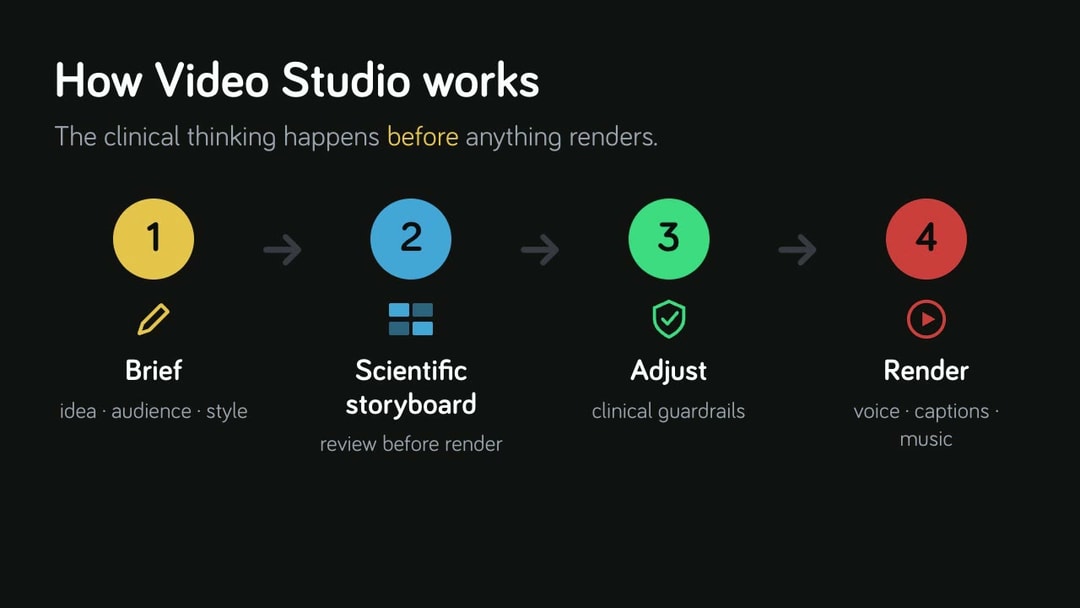
How Video Studio works, in four steps
The workflow is built so the clinical thinking happens before anything renders:
- Write a short brief — your clinical idea, the audience (dentists or patients), and a visual style such as Educational Technical or Friendly 3D.
- Review the scientific storyboard first — Video Studio plans every scene with clinical guidance before it renders a single frame. Check the anatomy, the claims and the wording here.
- Adjust the clinical details — tighten anything that drifts; the guardrails keep unrequested anatomy or procedures out of the frame.
- Render only when the narrative is right — pick a voice, captions and music, and export a clean 9:16 video.
Clinical tip: write the clinical truth in plain language before any tool runs. AI will happily produce a beautiful, confidently wrong video — so the idea has to be right before the rendering starts.
It is currently in beta inside PerioSpot Labs, improving every week from real clinician feedback. A good first test is a 30–60 second patient-education topic — for example: "Create a 45-second patient-friendly video explaining why peri-implant maintenance matters, showing the transition from healthy peri-implant tissues to early inflammation without exaggerating risk." Read the storyboard, check the anatomy, and render only when it is right: try Video Studio.
Option 2: the agentic workflow (for the tinkerers)
If you like building things, you can hand an AI coding agent your article, your voice recording and a few assets, and have it assemble the video in code — trims, captions, charts, B-roll, music ducking and all. You stop dragging clips on a timeline and start describing what should happen at each second.
I built a full osseointegration explainer this exact way — the prompts, the quality-control loop and the mistakes are all in that article. It is more powerful and more fiddly. For most practices, Video Studio gets you 90% of the result with 10% of the effort.
What dental videos should you actually make?
Pick ideas you already explain in the chair every week. The clinical knowledge is your unfair advantage over any agency:
- Patient education — "what is osseointegration", "why we wait before loading", "what a bone graft actually does". Reassuring, not scary.
- Procedure explainers — a 60-second version of the consent conversation you repeat ten times a week.
- Myth-busting — "do implants set off metal detectors", "is gum disease really linked to the heart". High shareability.
- Before/after storytelling — with consent, framed around the biology, not the bravado.
- Behind-the-scenes credibility — your workflow, your tools, your standards. This is what builds trust before the first call.
For more non-video channels, see 6 tools to boost your online dental marketing, and if you want to give your AI assistant real dental skills, these 3 free skills are a good start.
How to start dental video marketing this week (a realistic plan)
- Pick one idea you can explain in 60–90 seconds. One. Not a content calendar.
- Write the clinical truth first in plain language, before any tool runs.
- Generate the draft in Video Studio (or via the agentic workflow if you code).
- Review it like a clinician, not a programmer. Watch on your phone. Is the anatomy right? Is the claim honest? Are the captions readable?
- Publish, then repeat. Consistency beats production value. The fifth video will be better than the first.
The honest truth
AI does not replace clinical judgment, and it does not replace taste. It removes the mechanical cost of production so a busy clinician can finally publish at the speed of their ideas. But if you do not understand the topic, AI will happily help you make a beautiful, confidently wrong video — and in dentistry that is not progress, it is a liability. Label schematics as schematics. Do not imply histology you did not show. Keep claims inside the evidence. The tool is the editor; you are still the clinician and the author.
Key takeaways
- Dental video marketing is the highest-leverage growth channel for a practice in 2026 — and AI finally removes the editing bottleneck.
- There are two paths: no-code with Video Studio (best for most clinicians) or the agentic Claude Code + Remotion workflow (for builders).
- Video Studio is built for clinical content: audience-aware narration, scene-specific storyboards, and guardrails against clinical drift.
- Write the clinical truth first and review the storyboard before rendering — always verify anatomy and claims.
- Consistency beats production value: publish one clear 60–90 second idea, then repeat.
Frequently asked questions
What is the best way for a dentist to make videos without a video editor?
Use an AI video tool built for clinical content. The fastest no-code option is PerioSpot Video Studio: you describe the clinical idea and audience, and it produces a captioned vertical video with clinically guided visuals — no timeline, no editor.
Does video marketing actually grow a dental practice?
Yes. Short educational video is how patients evaluate trust before booking, and it compounds: one PerioSpot run produced 13,000 followers and 852,000 views in under two weeks. The limiting factor for most practices is production time, which AI now removes.
How do dentists use AI for video marketing?
Two ways: a no-code tool like Video Studio that turns a clinical idea into a finished video, or an agentic workflow where an AI coding agent builds the video in code. Both keep the clinician in charge of the message and accuracy.
Is AI dental video safe for patient education?
Only with clinical oversight. Generated visuals are useful as metaphors, not as histology or diagnosis. Always label schematic content, avoid over-specific biological claims, and review every video on a phone before publishing.
Where to go next
If you want results without the editing, try PerioSpot Video Studio and make your first dental video this week. If you want to see exactly how the sausage is made, read the full agentic video workflow. If still images are more your thing, our dental photography guide covers cameras, lenses, and settings. Either way, the science comes first — the tools just help it keep up with the pace of your ideas.
Comments
0 totalLoading comments...
Previous
How I Built a Dental Education Video With Claude Code, Codex, Remotion and HyperFrames
Next
Immediate Implant Placement: A Protocol for Case Selection and Predictable Results
Related Articles
How I Built a Dental Education Video With Claude Code, Codex, Remotion and HyperFrames
11 min read
How I Grew 13,000 New Instagram Followers in Under 2 Weeks Using AI Videos (And the Exact Prompts I Used)
19 min read