I Gave My AI a Dental Specialization: 3 Free Skills Every Dentist Needs

Table of Contents
I'll be honest. When I first heard about "AI skills," I thought it was the dumbest thing ever.
A markdown file. That's it. A text file that you drop into a folder, and somehow your AI becomes better at a specific task. My reaction? "A markdown file? Seriously? That's the big innovation?"
I had been using Wispr Flow to dictate everything, sometimes speaking full prompts with all the context and instructions baked in. It worked. Kind of.
But then I actually tried skills. And I felt like an idiot for dismissing them.
What Happened When I Stopped Being Skeptical
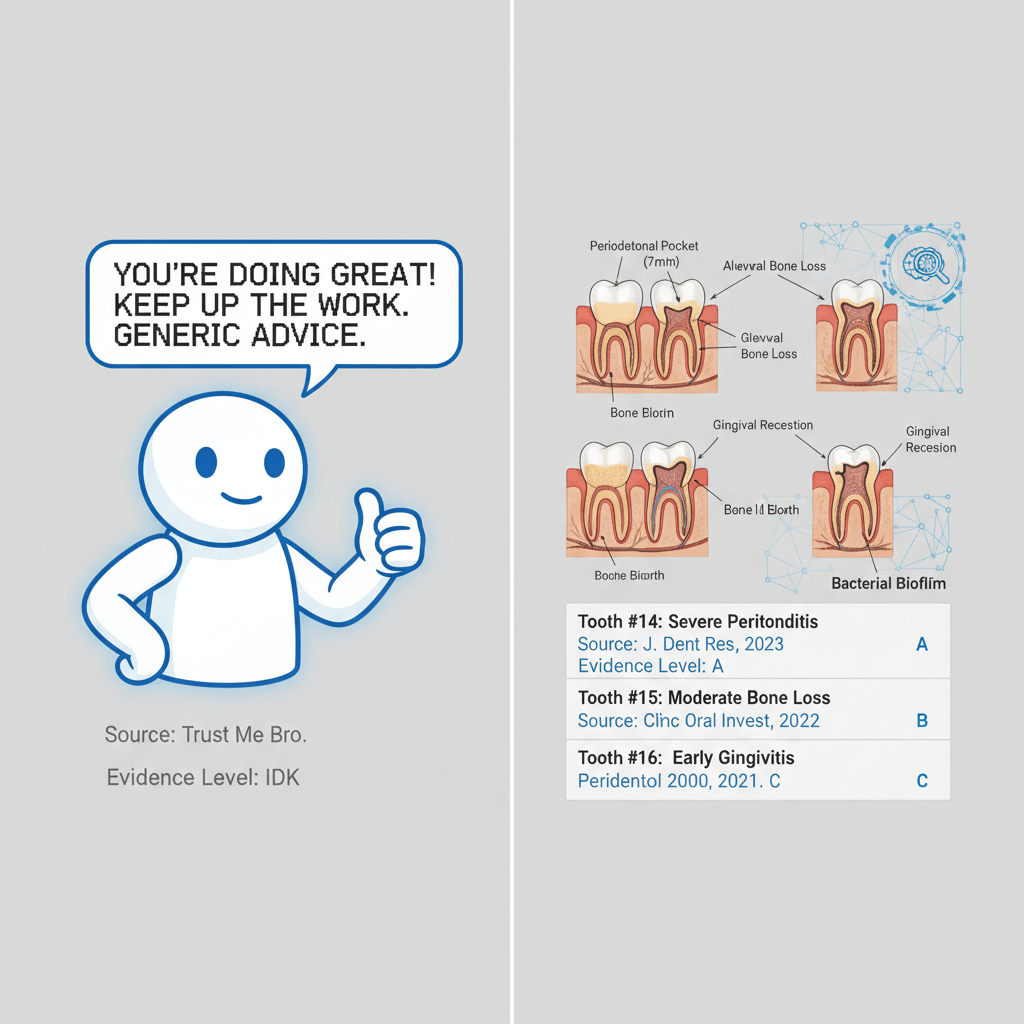
Here's the thing about using raw AI for dentistry. You open Claude or ChatGPT, you type your question, you get an answer. It's good. Sometimes it's great. But it's general. It's like asking a GP to plan your full-arch implant rehabilitation. They know medicine. They'll give you a reasonable answer. But it won't be the answer you'd get from someone who has placed 3,000 implants.
Skills changed everything for me. And I don't say that lightly.
When you give your AI a skill, the model gets activated by certain keywords and contexts. When it detects that you need something specific, it doesn't just answer. It goes deep. It follows a protocol. It checks specific things. It thinks the way a specialist thinks.
Out of the box, Claude or GPT are great. With skills? It's like multiplying the output quality by 10.
You know exactly what this feels like. You spent years specializing. The residency, the courses, the thousands of hours of clinical practice. That's what turned you from a general dentist into a specialist. Skills do the same thing for AI.
So I built three of them. For us. For dentists.
Wait, What Exactly Is an "AI Skill"?
An AI skill is a set of instructions that tells your AI how to behave when performing a specific task. Think of it as a clinical protocol, but for artificial intelligence.
You know how you have a protocol for treating a Grade III furcation? You don't reinvent the approach every time. You follow steps. You check specific parameters. You make decisions based on specific criteria.
A skill does the same thing for AI. Instead of explaining everything from scratch every time you ask a question, the skill pre-loads all that expertise.
Here's what happens technically:1. You download a markdown file (yes, just a text file)
2. You drop it into a specific folder on your computer
3. Your AI reads it automatically before every conversation
4. Now it has specialized knowledge and protocols built in
That's it. No coding. No plugins. No subscriptions. A file in a folder.
The 3 Dental AI Skills I Built (and Why Each One Exists)
I created these because I needed them. Every single day, I deal with research papers, clinical evidence questions, and content for Periospot. I was tired of getting generic AI outputs, so I built specialized tools.
They're all free. Open source. On GitHub.
1. The Research Critic
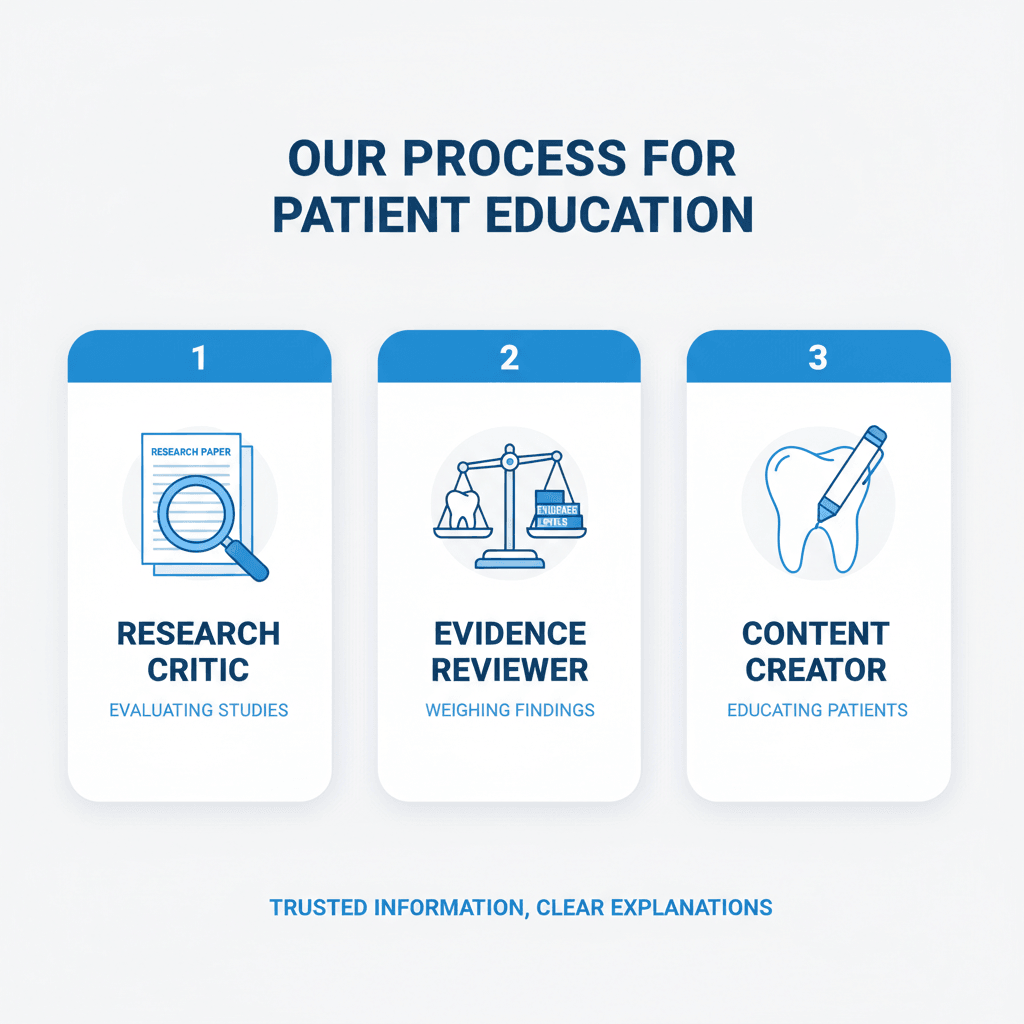
What it does: Tears apart dental research papers the way your toughest professor would.You feed it a study, and instead of getting "this is an interesting paper," you get a systematic methodological critique. It checks the study design, sample size justification, statistical methods, bias risk, and whether the conclusions actually match the data. It uses frameworks like CONSORT, PRISMA, and the Newcastle-Ottawa Scale depending on the study type.
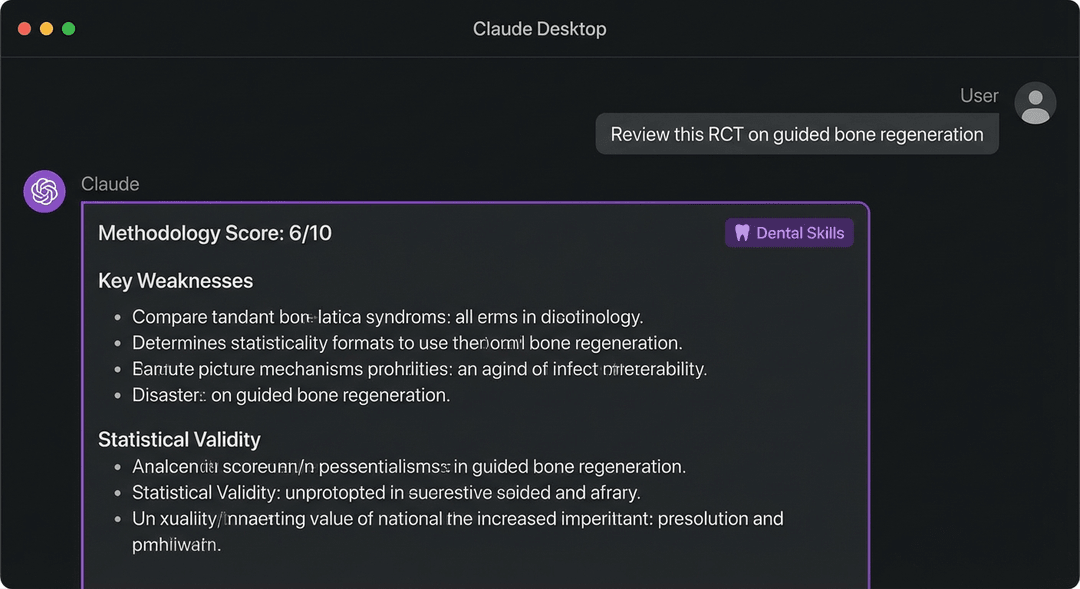
Who it's for: PhD students, researchers, anyone reviewing literature for a systematic review, or clinicians who want to know if that new study everyone is sharing on Instagram actually holds up. Example: I fed it a recent RCT on a new regenerative membrane. Instead of telling me it looked promising, the skill identified that the study had no sample size calculation, used per-protocol analysis instead of intention-to-treat, and had a follow-up period too short to assess the primary outcome meaningfully. That kind of critique used to take me 45 minutes. With the skill, it took 30 seconds. The output includes:- Methodology score (1-10)
- Specific weaknesses with explanations
- Statistical validity assessment
- Clinical relevance rating
- A plain-language summary you could send to a colleague
2. The Clinical Evidence Reviewer
What it does: Answers clinical questions using the best available evidence, not AI hallucinations.This is the one I use most. You ask a clinical question like "What's the evidence for systemic antibiotics as adjunct to scaling and root planing in Stage III periodontitis?" and instead of a vague summary, you get a structured evidence review. It cites actual studies, grades the evidence level, and gives you a clinical recommendation with the strength of that recommendation clearly stated.
Who it's for: Clinicians who want evidence-based answers fast. Residents preparing cases. Anyone who has ever thought "I should look that up" and then didn't because PubMed is a pain. Example: I asked about the use of hyaluronic acid in periodontal regeneration. The skill gave me a tiered response: strong evidence for certain applications, moderate evidence for others, insufficient evidence for the rest. Each claim linked to specific studies with proper citations. It flagged where the evidence was mostly from animal studies and where we had solid human RCTs. The output includes:- Evidence level grading (Oxford/GRADE)
- Study-by-study breakdown
- Clinical recommendation with confidence level
- Knowledge gaps identified
- Suggested search terms for deeper research
3. The Dental Content Creator
What it does: Creates dental content that actually looks and sounds like your clinic, not like a generic AI wrote it.This is the fun one. And honestly, the most technically impressive.
Here's what makes it special: auto brand extraction. You give it your clinic's website URL or upload some of your existing marketing materials, and the skill automatically extracts your brand voice, color palette, typography style, and visual identity. Then every piece of content it creates matches your brand.
On top of that, it integrates with Google Gemini for image generation. So it doesn't just write your Instagram post. It creates a custom dental illustration to go with it, styled to match your clinic's visual identity.
Who it's for: Clinic owners who want consistent social media content. Marketing teams at dental practices. Anyone who has ever stared at a blank screen trying to write a caption for their latest case photo. Example: I pointed it at Periospot's brand assets and asked for an educational Instagram carousel about peri-implantitis risk factors. It generated the text for each slide, suggested the layout, and created custom illustrations in Periospot's color scheme and style. What would normally take two hours with Canva took about five minutes. The output includes:- Brand-consistent copy for any platform
- Custom AI-generated dental illustrations (via Gemini)
- Hashtag strategy
- Content calendar suggestions
- Patient education materials in your clinic's voice
How to Install These Skills (5 Minutes, Zero Coding)
I promised hand-holding on the technical parts. Here's a step-by-step walkthrough.
Option A: Claude Desktop (Recommended for Most Dentists)
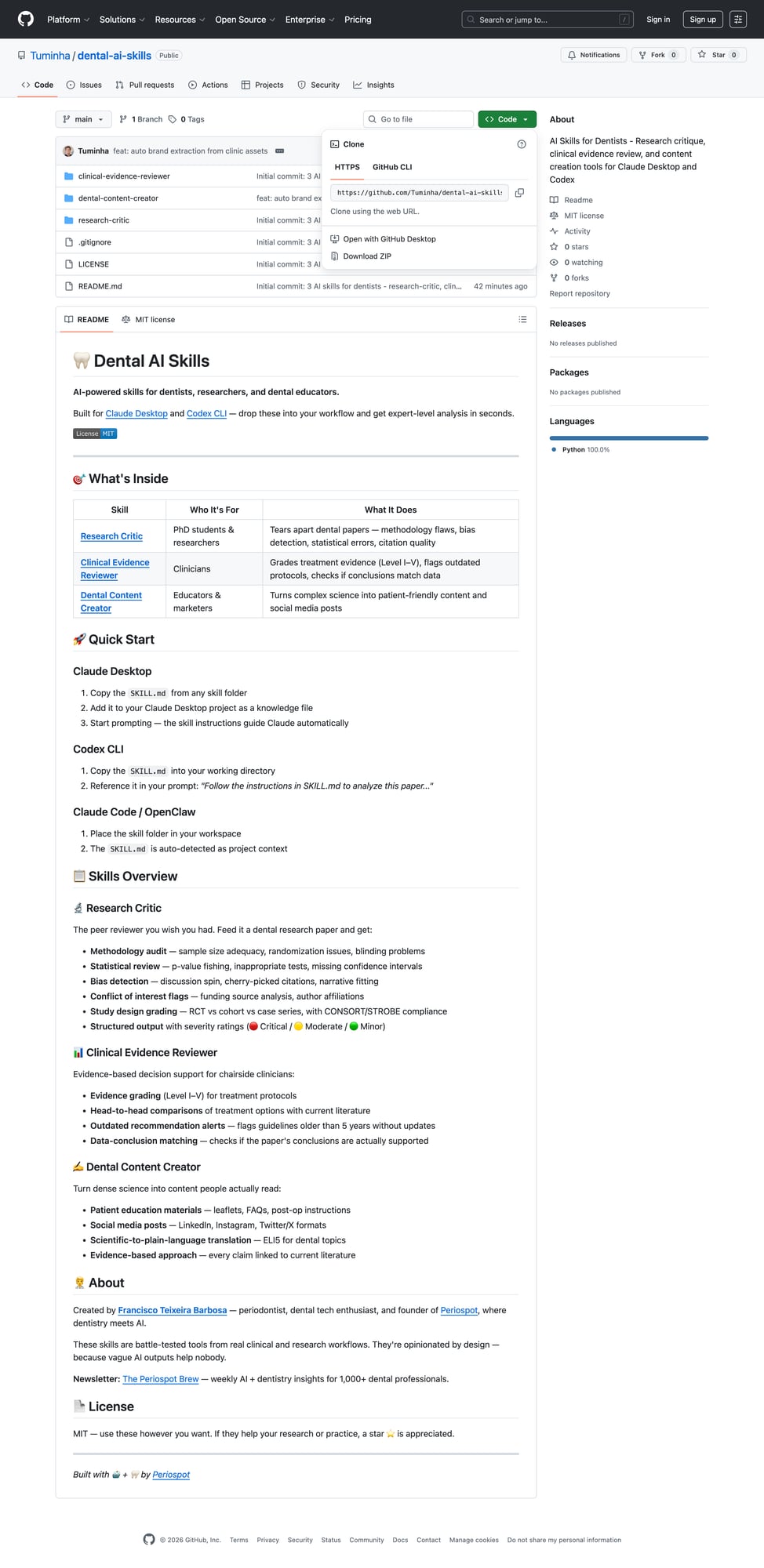
Step 1: Download the skills from GitHubGo to the repository and click the green "Code" button, then "Download ZIP."
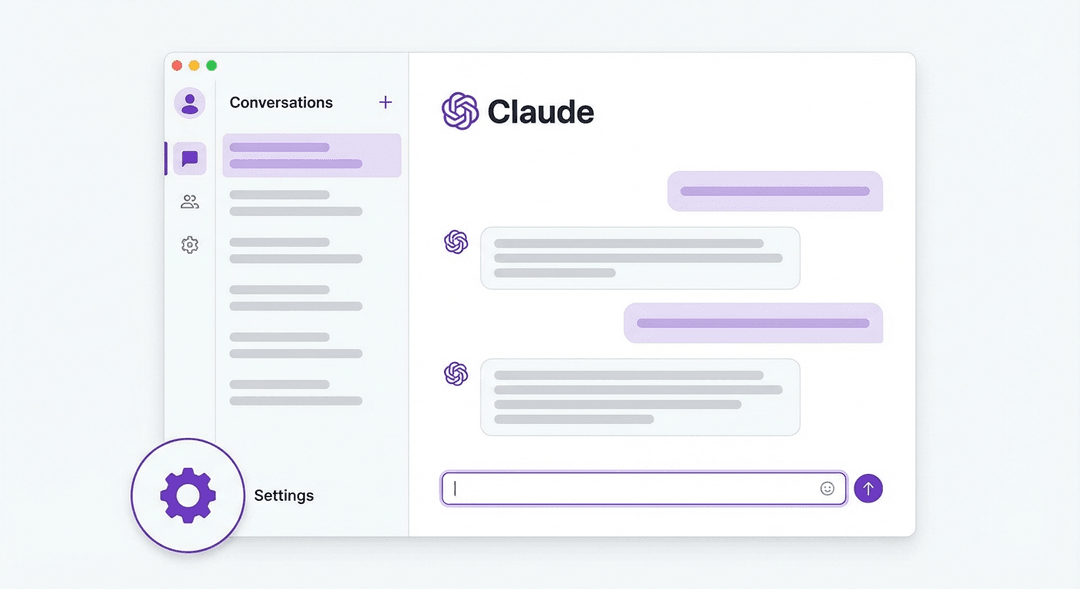
Click the gear icon in the bottom-left corner of the sidebar.
Go to the "Projects" section and create a new project called "Dental AI Skills."
Step 5: Add the skill files to your projectDrop in the .md files from the skills you downloaded. You can use all three or just the ones you need.
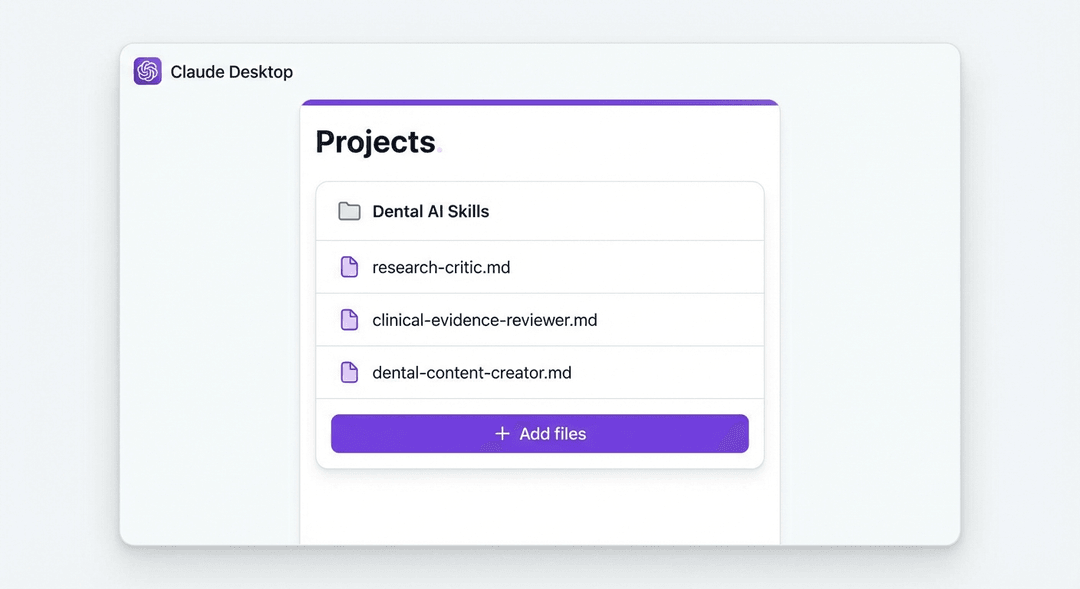
That's it. Claude now has dental specialization. Ask it to review a paper, answer a clinical question, or create content. It will automatically detect what you need and activate the right skill.
Option B: Claude Code / Codex (For the More Technical Users)
If you're using Claude Code or OpenAI Codex in your terminal:
# Clone the repo
git clone https://github.com/Tuminha/dental-ai-skills.git
# Copy skills to your project
cp dental-ai-skills/skills/*.md your-project-folder/
The skills will be automatically picked up as context files.
A Tool That Makes This Even Better
One thing that supercharged my workflow: Wispr Flow.
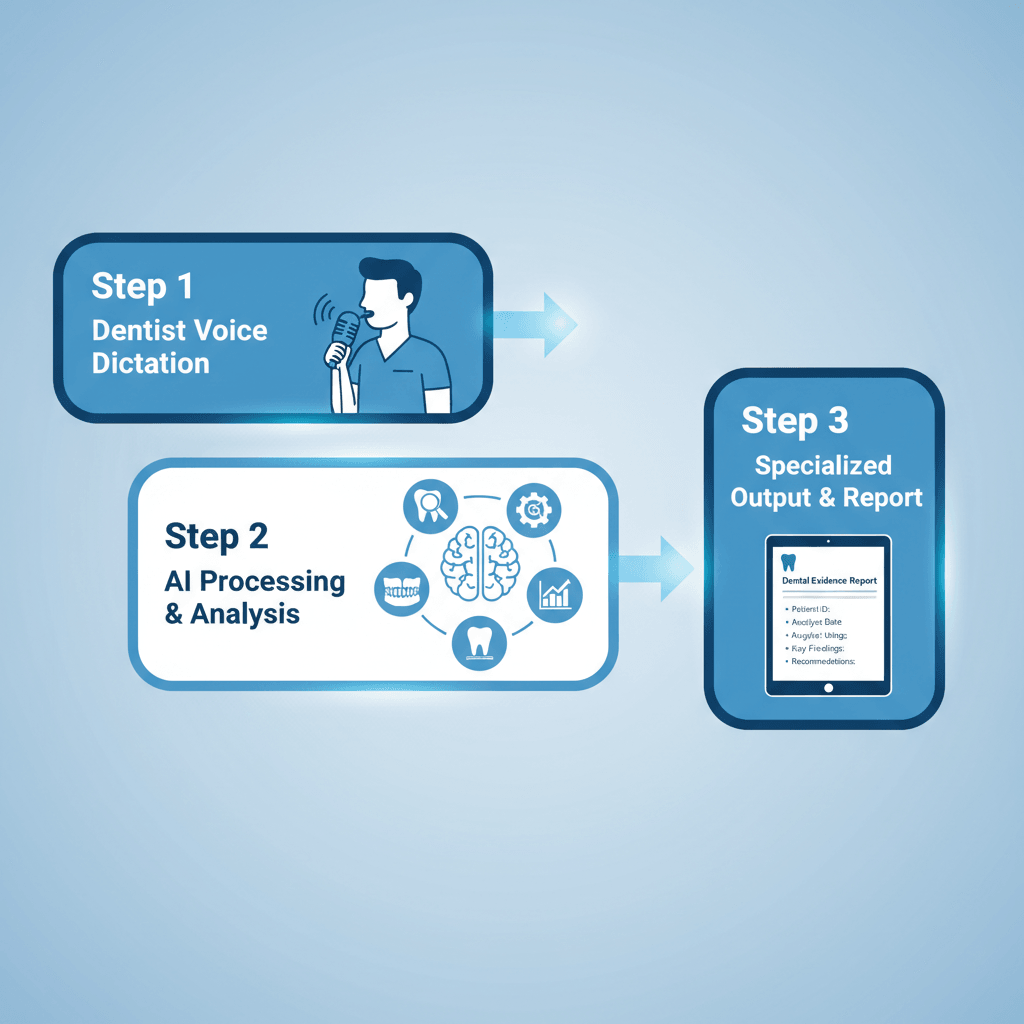
It's a dictation tool that works everywhere on your Mac. I use it to talk to Claude instead of typing. When you combine voice dictation with specialized skills, the speed is remarkable. You just speak naturally, and it transcribes with impressive accuracy, even dental terminology like "peri-implantitis" or "guided bone regeneration."
Imagine: you're reviewing a case, you hit a keyboard shortcut, and you say "Review the evidence for immediate implant placement in molar sites with periapical pathology." Claude, loaded with the Clinical Evidence Reviewer skill, gives you a graded evidence summary in seconds.
That's the workflow. Voice in, specialized knowledge out.
Why This Matters
I know what some of you are thinking. "I can just type a good prompt and get good results." And you're right. You can.
But think about it this way. You could explain to a GP how to do a sinus lift every time you needed one done. Or you could just refer to a specialist who already knows the protocol, the pitfalls, the nuances, and the recovery management.
Skills are that specialist. You don't have to explain everything every time. The knowledge is already there. The protocols are built in. The output quality is consistently higher because nothing gets forgotten or overlooked.
This is where AI in dentistry is heading. Not generic chatbots that give you Wikipedia-level answers. Specialized AI that thinks like a specialist because we taught it to.
Get Started Today
Everything is free and open source.
1. Download the skills on GitHub
2. Get Wispr Flow for voice dictation
3. Subscribe to Periospot for more dental AI tools and tutorials
I'm building more skills. If you have a specific dental workflow you wish AI could help with, tell me. Hit reply to the newsletter or find me on Twitter/X. The whole point of open source is that we build this together.
Your AI is already smart. Let's make it specialized.
 " loading="lazy" />
*Francisco Teixeira Barbosa is a periodontist, the founder of Periospot, and someone who talks to his computer way more than is socially acceptable.*
Check Your Knowledge
Comments
0 totalLoading comments...
Previous
Machine Learning for Dentists: Predicting Implant Success with AI
Next
How I Grew 13,000 New Instagram Followers in Under 2 Weeks Using AI Videos (And the Exact Prompts I Used)
Related Articles

How I Make Dental Carousels With Claude and GPT That People Actually Save
20 min read
Dental Video Marketing in 2026: How to Make Pro Videos Without a Video Editor
8 min read